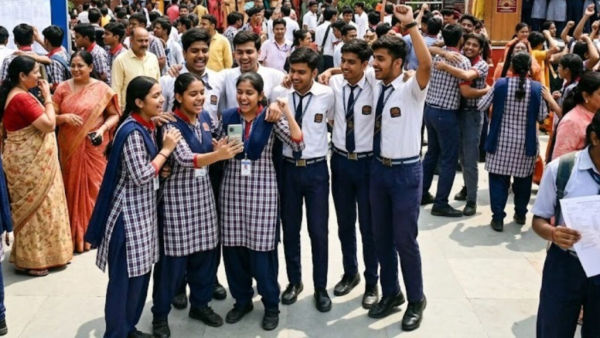
New Delhi: The long wait of CBSE Class 12 students is finally over. Central Board of Secondary Education (CBSE) has released the 12th board result of 2026. As soon as the results came out, there was excitement and slight concern among lakhs of students and parents. This time the board has taken a big decision and has not released the merit list. The board says that this step has been taken to reduce unnecessary competition and mental pressure among students.
However, the board has clarified that the merit certificate will be given to the top 0.1 percent of the students who have scored the highest marks in their subjects. With this, meritorious students will also get respect and there will be no pressure on other students to compete for ranks.
Pass percentage decreased this time
According to the data released by CBSE, the overall pass percentage of class 12 this year has been 85.20 percent. Last year in 2025 this figure was 88.39 percent. That means this time a decline of 3.19 percent has been recorded in the result. According to the board, the level of examination and the evaluation process was kept completely transparent.
Where to see CBSE 12th result?
Students can check their results by visiting the official website of CBSE. Apart from this, digital marksheet has also been made available on many other government platforms. Students can use these websites to check the result:
- results.cbse.nic.in
- cbse.gov.in
- cbseresults.nic.in
- digilocker.gov.in
- results.gov.in
Check result like this
Students can check their scorecard by following the simple steps given below:
Method of viewing results through website
1. First of all open the official website of CBSE.
2. Click on “Class 12 Result 2026” link on the homepage.
3. Now fill the roll number, school number and admit card ID.
4. As soon as the information is submitted, the result will appear on the screen.
5. Download the scorecard and keep it safe for future use.
How to download marksheet from DigiLocker
1. Open the DigiLocker website or app.
2. Log in with registered mobile number.
3. Verify your account by entering OTP.
4. Go to “Issued Documents” section.
5. Select CBSE there.
6. Click on “Class 12 Marksheet 2026” option.
7. Enter roll number and passing year.
8. The mark sheet will appear on the screen, which can be downloaded.
Result will also be available from UMANG app
1. Open the UMANG app or website.
2. Log in with mobile number.
3. Complete OTP verification.
4. Write “CBSE” in the search box.
5. Click on “CBSE Class XII Result 2026”.
6. Fill the roll number and necessary information.
7. The result will appear on the screen.
The board gave special advice to the students
CBSE has appealed to the students that after downloading the mark sheet, check all the information entered in it carefully. If any kind of mistake is seen, immediately contact the school or board. The board says that the digital marksheet will be temporary for the time being and later the original certificates will be made available through the schools.
Contact to : xlf550402@gmail.com
Copyright © boyuanhulian 2020 - 2023. All Right Reserved.