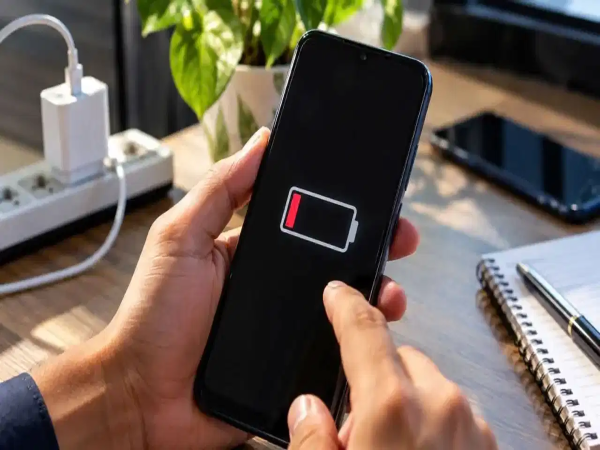
The cold has begun to set in even before the start of December. With the arrival of the cold season, smartphone users face a unique set of challenges. While a phone’s battery may last longer when indoors, it tends to drain rapidly the moment you step outside. In some cases, the phone might still show a certain percentage of battery remaining, yet it suddenly shuts down. This issue is particularly common when visiting hilly regions or spending extended periods in cold weather. If you are also troubled by your phone’s battery draining quickly in the cold, there is no need to worry; by following a few simple tips, you can address this problem.
Why does a phone’s battery drain faster in the cold?
Most modern smartphones use lithium-ion batteries. When the temperature drops, the chemical reactions occurring inside these batteries slow down. This affects the battery's capacity, preventing it from providing the necessary power to the device. Consequently, the phone may suddenly shut down—especially when using the camera, navigating with maps, or increasing the screen brightness.
Often, the phone will turn back on once it is brought into a warmer environment. However, it is not advisable to charge a cold phone immediately, as doing so can negatively impact the battery's health.
7 ways to preserve your phone’s battery during winter:
1. Keep your phone in an inside jacket pocket
Cold weather affects your phone, with the battery being the most vulnerable component. Avoid leaving your phone exposed to the cold for long periods; instead, keep it in an inside jacket pocket. The warmth from your body helps maintain a normal temperature for the device. If you use a phone mount on your bike or scooter, be sure to return the phone to your pocket as soon as you are finished using it.
2. Turn on Battery Saver before heading out
If you plan to be away from home for an extended period, enable 'Battery Saver' mode on your phone as soon as you leave. This reduces background activity and lowers battery consumption. You can also keep the screen brightness low and set a shorter screen timeout duration.
3. Download maps and tickets in advance
If you are planning a trip—especially to a cold region or a hilly area—download offline maps beforehand. Also, save your train or bus tickets on your phone. This eliminates the need to frequently turn on your mobile data, which helps conserve battery life.
4. Limit the use of your camera and screen
Constantly taking photos, recording videos, or using your screen at full brightness significantly drains the battery. Use the camera only when necessary, and lock your phone screen once you are finished with your task.
5. Charge your phone before leaving home
If you expect to be out all day, ensure your phone is fully charged before you head out. Keep in mind that the batteries in older phones can be particularly problematic in cold weather.
6. Do not charge a cold phone immediately
If your phone has become very cold, allow it to reach room temperature before plugging it in to charge. Never use a heater or a source of hot air to warm up your phone.
7. Carry a charged power bank
When traveling for long periods or visiting hilly regions, it is highly beneficial to carry a fully charged power bank. This allows you to charge your phone whenever the need arises.
Disclaimer: This content has been sourced and edited from TV9. While we have made modifications for clarity and presentation, the original content belongs to its respective authors and website. We do not claim ownership of the content.
Contact to : xlf550402@gmail.com
Copyright © boyuanhulian 2020 - 2023. All Right Reserved.